

Portal customisation
Customize the Developer Signup Form
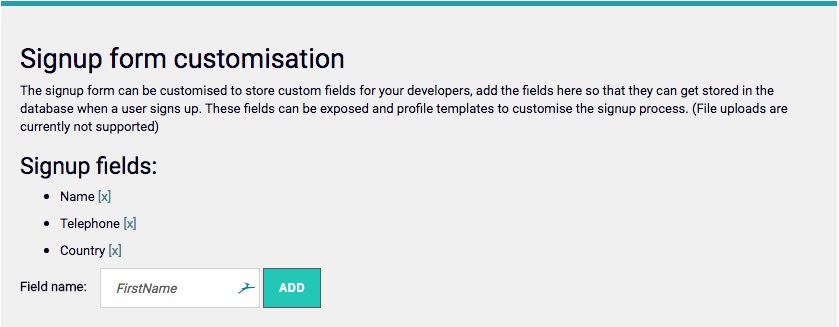
When a developer signs up to your developer Portal, you might wish to capture more information about the developer than is supplied by the default form. To enable new fields in this form (they are automatically added to the form as you add them), go to the Portal Management > Settings screen, and edit the Sign up form customization section: